How to Recharge Airtel Airtime Through M-Pesa Paybill 220220

If you are an Airtel customer, you can quickly recharge your airtime via M-Pesa using the Pesapal Paybill number 220220. This option is useful when you need airtime urgently and want a simple method that works directly from your phone.
Pesapal Paybill 220220 is the most used Paybill number for buying Airtel airtime, making it a convenient option for many users across Kenya.
How to Recharge Airtel Credit via Mpesa
Use the steps below:

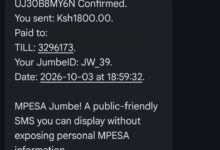
- Go to your M-Pesa Menu
- Select Lipa na M-Pesa
- Choose Pay Bill
- Enter Business Number: 220220
- Under Account Number, enter your Airtel number
- Enter the amount you want to buy
- Enter your M-Pesa PIN
- Confirm the transaction and send
After sending the payment, wait for the M-Pesa confirmation message. The airtime should then be added to the Airtel number.
Quick tip

Always check the Airtel number before confirming the transaction. A wrong number may cause delays or send the airtime to another line.
Benefits of Using Paybill 220220
- No Scratch Card Needed – You can recharge without buying physical airtime.
- Available Anytime – The service is useful when shops are closed or when you are far from an airtime vendor.
- Fast and Reliable – Once processed, the airtime is usually credited quickly.
- Backed by Pesapal – Pesapal is a trusted payment service provider supporting secure mobile money payments across Kenya and East Africa.
Recharging Airtel airtime through M-Pesa is quick and convenient when using Pesapal Paybill 220220. The process is simple: use Pay Bill, enter 220220, enter your Airtel number and amount, then complete the payment.
Go to TECHTRENDSKE.co.ke for more tech and business news from the African continent and across the world.
Follow us on WhatsApp, Telegram, Twitter, and Facebook, or subscribe to our weekly newsletter to ensure you don’t miss out on any future updates. Send tips to editorial@techtrendsmedia.co.ke