Could your checkout do more than process payments? What LOOP Biz's eTIMS plans mean for merchants

A customer pays for a product, receives confirmation of the transaction and leaves the shop. For the merchant, however, the work connected to that sale may continue after the payment has been completed.
The transaction needs to be reflected in the business records, while the relevant tax documentation must be handled through the appropriate process. For businesses managing several payment methods and a steady flow of customers, keeping these activities organised can add to the work involved in running a checkout.
Kenya’s electronic Tax Invoice Management System, known as eTIMS, is part of the Kenya Revenue Authority’s framework for electronic tax invoicing. It provides businesses with a way to issue electronic tax invoices and support the recording of sales for tax purposes.
For merchants using digital payment systems, the practical question is how payment acceptance and tax invoicing can fit into the same business workflow.



LOOP Biz, NCBA’s merchant platform, includes a PDQ device that supports card and mobile money payments. At the platform’s October 2026 launch, eTIMS enablement was presented as an upcoming addition to the PDQ experience. Its current release status and the exact functions available need to be confirmed with LOOP before merchants can rely on it.
Understanding the role of eTIMS
A payment confirmation and a tax invoice serve different purposes.
A payment confirmation records that a customer has made a payment through a particular channel. A tax invoice provides the relevant transaction information required for tax documentation.
A merchant may accept payment through a card, M-Pesa or another supported channel and still need to complete the applicable invoicing process. The payment method alone does not establish that the transaction has been issued as an eTIMS-compliant invoice.
For businesses, understanding this distinction is important when reviewing their checkout procedures. They need to know how sales are recorded, how invoices are issued and how the information is retained for their accounting and tax processes.
The KRA provides eTIMS solutions for businesses to issue electronic tax invoices. Merchants should consult the authority’s current guidance or a qualified tax professional to establish the requirements that apply to their business and transactions.
Where a PDQ device fits into the process
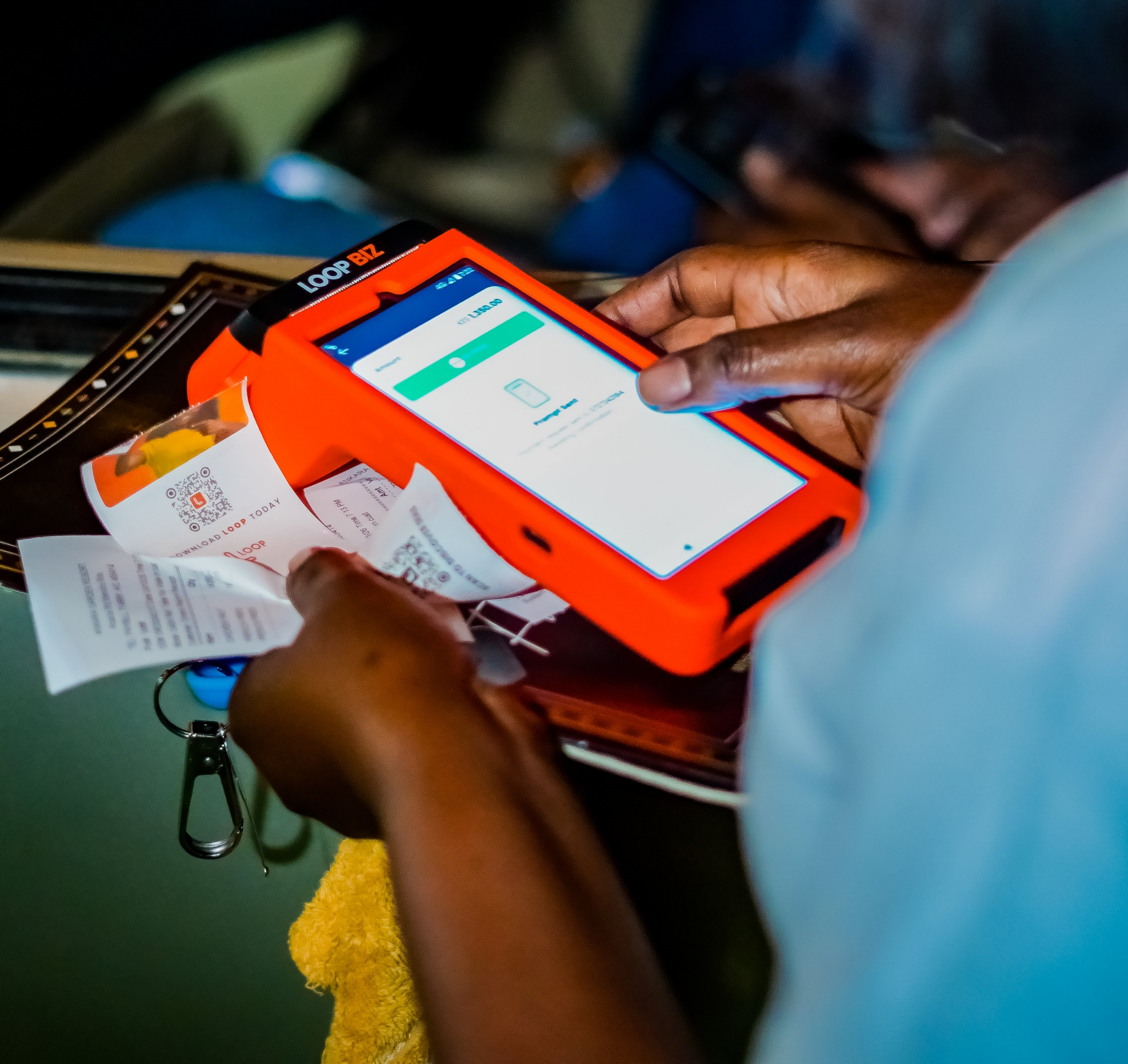
LOOP Biz PDQ is designed to help merchants accept different payment methods at the point of sale. It supports Visa and Mastercard chip and contactless payments, M-Pesa Till and Paybill, M-Pesa STK push and LOOP STK push.
For a customer paying through M-Pesa STK push, the cashier enters the transaction amount on the device. The customer receives a prompt on their phone and approves the payment using their PIN.
The device brings several payment options into the checkout process. When connected to inventory management, sales can also update stock records automatically.
An eTIMS integration would address another part of the transaction workflow: electronic tax invoicing. For merchants, the usefulness of that integration will depend on how invoices are generated, what information is captured and how the records can be accessed afterwards.
The exact process should be established from the live product rather than assumed from the presence of a payment device.
Questions merchants should ask about an integrated invoicing process
Before relying on a PDQ-based invoicing workflow, a business should understand how the system operates in practice.
The first question is whether eTIMS functionality is currently live on the device and available to the merchant’s business category. A planned feature should not be treated as an available service.
Merchants should also establish whether an invoice is generated automatically after a successful payment or whether the cashier must complete additional steps. They need to know what information is required, whether customer details can be captured at the counter and how corrections or cancellations are handled.
Another consideration is access to records. Business owners and finance teams may need to retrieve invoices, review transaction histories and reconcile sales with their accounting processes.
The treatment of different payment methods should also be clear. A merchant should establish whether the same invoicing process applies to card payments, M-Pesa transactions and other supported channels, and what happens when a transaction is reversed or a payment fails.
Finally, businesses should ask whether there are additional setup requirements, subscription charges or configuration steps associated with the integration.
Preparing staff for the change
Even when a digital system automates part of the invoicing process, employees need to understand their responsibilities.
Cashiers should know how to enter the correct transaction amount, confirm payment status and follow the required invoicing steps. Managers may need to review records, while finance teams may be responsible for reconciling invoices and sales information.
A business should establish who can access different records and how errors are reported. This is particularly important for retailers with several employees or outlets, where inconsistent procedures can create gaps in transaction records.
Training should cover the full checkout process, including what staff should do when a payment is unsuccessful, a customer requests an invoice or a transaction needs to be corrected.
Bringing payment and business records closer together
For merchants, the longer-term value of connected business systems lies in how different parts of the transaction can be managed together.
LOOP Biz brings payment acceptance into the merchant platform, with inventory management available as a paid addition for eligible businesses. The PDQ can process supported payment methods, while connected inventory tools can update stock records following sales.
An eTIMS-enabled workflow could add electronic tax invoicing to that process, subject to the functionality that LOOP has released and the requirements applicable to each business.
Merchants considering the service should confirm its current availability, setup requirements, fees and supported transaction types directly with LOOP. They should also continue to follow KRA guidance on their invoicing obligations.
The aim for a business is a checkout process in which payment, stock records and tax documentation are handled consistently. The practical benefit will depend on how well the systems work together and how reliably the business uses them.
Go to TECHTRENDSKE.co.ke for more tech and business news from the African continent and across the world.
Follow us on WhatsApp, Telegram, Twitter, and Facebook, or subscribe to our weekly newsletter to ensure you don’t miss out on any future updates. Send tips to editorial@techtrendsmedia.co.ke

