Equity Mobile Adds QR Code Payments in a Push to Simplify Money Transfers
The update allows customers to generate shareable payment codes, request funds and complete transfers with a scan, reducing reliance on manually entered account and phone numbers.

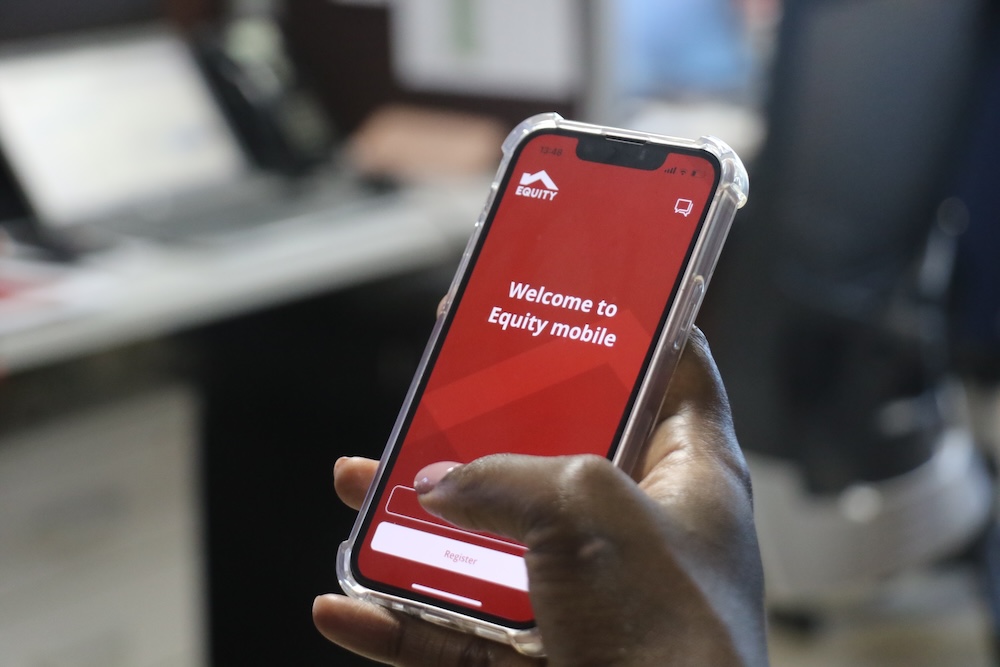
The process of sending money through a mobile banking app often involves entering phone numbers, account details and transaction information manually. While familiar, that process can slow transactions and increase the possibility of mistakes. Equity Mobile QR Code Payments are designed to simplify that experience by allowing customers to send, receive and request money through a quick scan instead of manual entry.
The new feature, available through the Equity Mobile App, expands the bank’s digital payments offering and introduces a faster way for customers to complete everyday transactions. The rollout comes as mobile money and digital banking continue to account for a growing share of everyday financial activity, prompting financial institutions to focus on making transactions simpler, faster and easier to complete. By combining QR code generation and QR code scanning within the same platform, the service aims to reduce friction in person-to-person transfers, merchant payments and account funding activities. The rollout also forms part of a wider push by Equity to bring more transaction services onto its digital banking channels.
A New Option for Everyday Payments
The QR code payment feature allows customers to complete transactions without entering account or phone numbers. Users can either scan another customer’s QR code to initiate a payment or generate their own QR code to request funds.
The addition addresses a common challenge in mobile banking, where customers often spend time entering payment details and verifying information before completing a transfer. By replacing several manual steps with a scan, the feature is designed to make transactions quicker and more intuitive.


The service supports peer-to-peer transfers, merchant payments and transfers between accounts, giving customers multiple ways to move money within the Equity ecosystem.
How QR Code Payments Work
Customers can access the feature directly from the Equity Mobile App.
To begin, users log into the application and tap the QR icon located on the home screen. From there, they can choose between generating a personal QR code or scanning an existing code.
Those making a payment can scan a QR code using their smartphone camera or upload an image containing a QR code. Once the recipient and amount are confirmed, the transaction is authenticated using the customer’s PIN before completion.
Real-time transaction confirmations provide immediate feedback once a payment has been processed.
Personal QR Codes Add a New Payment Tool
One of the most significant additions is the ability for customers to generate personal QR codes.
Users can create a QR code linked to their account and share it through messaging applications, social platforms or their device gallery. The QR code can also include a preset amount, allowing customers to request a specific payment value.
This functionality expands the role of QR technology beyond payments alone. Instead of simply paying merchants, customers can actively request money from friends, family members, clients or customers using a shareable digital payment address.
For individuals and small businesses that frequently collect payments, the feature offers a convenient alternative to sharing account details manually.
Reducing Friction in Digital Transactions
The feature has been introduced with convenience as a central objective.
Manual entry of account numbers and phone numbers remains one of the most common sources of payment errors. QR-based transactions reduce the need for repetitive data entry and shorten the path between initiating and completing a transfer.
By reducing the number of screens and steps required, customers can move through transactions more quickly while maintaining the security controls already built into the mobile banking platform.
The result is a payment experience built around speed, accuracy and ease of use.
What Customers Need to Access the Feature
To use the service, customers must have an active Equity Mobile App account and a smartphone equipped with a camera capable of scanning QR codes.
Once logged in, users can immediately access the QR functionality without requiring additional hardware or separate applications.
The feature is aimed at retail banking customers and is designed to make digital payments more accessible for everyday transactions.
Supporting a Broader Digital Banking Push
QR code payments have become an increasingly common feature across financial services as banks and payment providers look for ways to make transactions faster, simpler and less dependent on manual data entry.
With the introduction of QR Code Payments, Equity Mobile users gain a new way to send money, receive funds and request payments through a single mobile banking platform. The feature is designed around everyday banking needs, allowing customers to complete transactions through a scan rather than entering account or phone numbers manually.
The rollout also reflects a broader effort by Equity to expand the range of services available through its digital channels. Alongside tools aimed at simplifying person-to-person payments, the bank has been introducing additional transaction capabilities on its mobile and online platforms to help customers manage a wider range of payment activities digitally.
As more payments, transfers and banking activities move onto mobile and online platforms, financial institutions are increasingly focusing on how customers initiate and complete transactions, balancing convenience with the controls needed to support trust, accuracy and reliability. That shift reflects a broader evolution in digital banking, where growth is increasingly driven by the quality of the transaction experience rather than access alone.
For Equity Mobile users, the latest update centres on a straightforward proposition: scan, confirm and complete a transfer in a few taps.
Go to TECHTRENDSKE.co.ke for more tech and business news from the African continent and across the world.
Follow us on WhatsApp, Telegram, Twitter, and Facebook, or subscribe to our weekly newsletter to ensure you don’t miss out on any future updates. Send tips to editorial@techtrendsmedia.co.ke