Samsung rolls out One UI 9 to Galaxy S26 with new AI, privacy and camera features

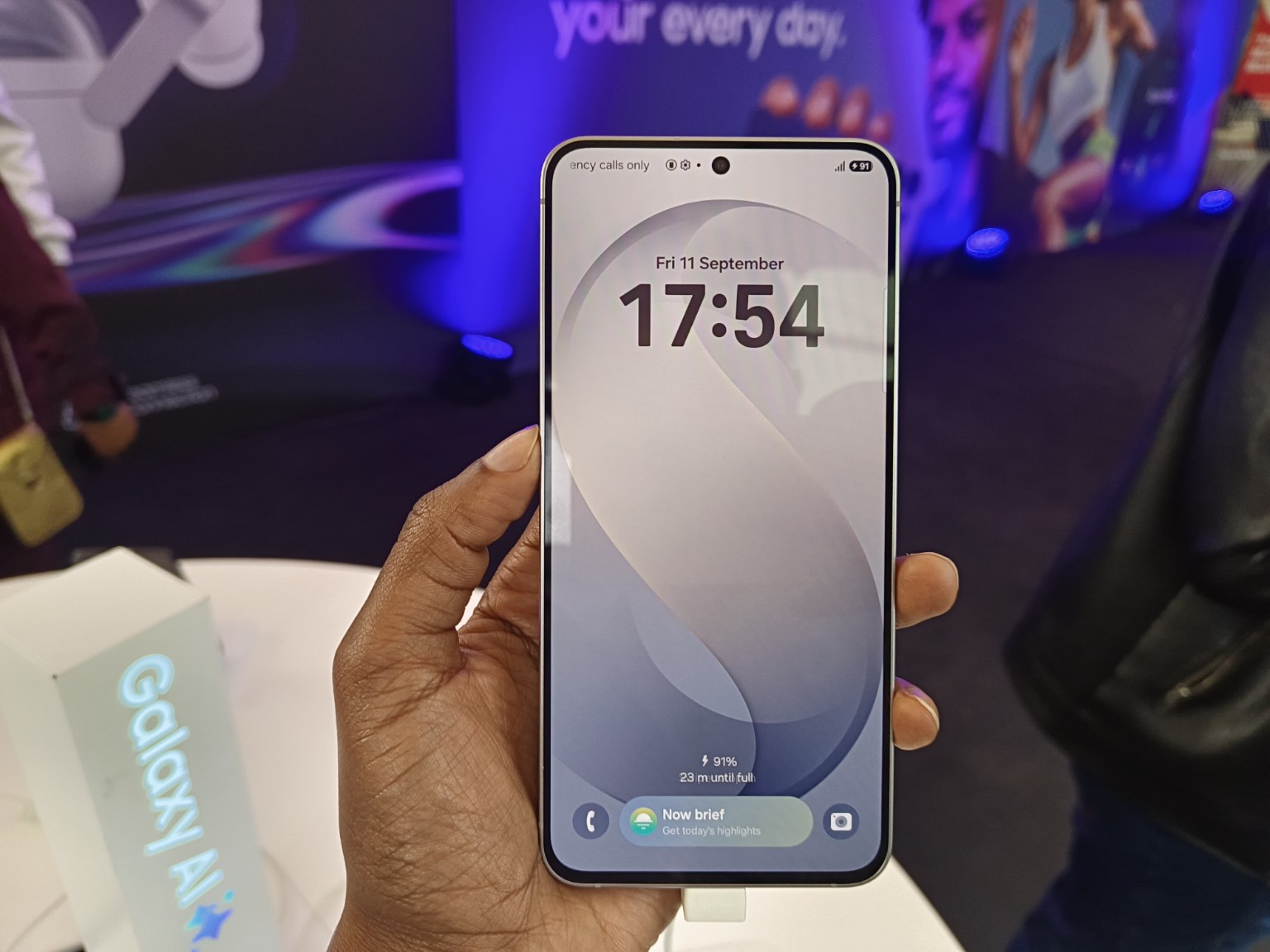
Samsung has started the One UI 9 rollout to the Galaxy S26, S26+ and S26 Ultra, bringing new Galaxy AI features, privacy tools and changes to everyday functions such as video recording, translation and device care. The rollout begins on September 21, following the software’s debut on the Galaxy Z Fold8 Ultra, Galaxy Z Fold8 and Galaxy Z Flip8.
The update gives Samsung’s flagship phones a broader set of AI-assisted features, including context-aware suggestions through Now Nudge, customisable information cards in Now Brief and event-based prompts in Creative Studio. It also adds Privacy Alerts and Security Brief, putting more security information directly into the phone’s everyday interface.
The rollout follows a One UI 9 programme that began with a Galaxy S26 beta in May. That beta introduced updated controls, accessibility features and additional protection against potentially harmful apps.
The Galaxy S26 FE subsequently became the first model in the S26 family to ship with One UI 9, giving users an early look at features such as My FanCam, Now Brief and Now Nudge before the software reached the main S26 flagship models.

Galaxy AI gets more context around everyday tasks
One of the more significant parts of One UI 9 is the way Samsung is connecting Galaxy AI to what users are already doing on their phones. Now Nudge can surface suggestions based on context, such as bringing up reservation information or allowing a location shared in a conversation to be saved without requiring the user to leave the messaging app.
That direction is consistent with what Samsung Electronics East Africa Product Manager Ryan Mule told TechTrends in June when discussing the Galaxy S26 series. He described Now Nudge as a feature designed to work within messaging, WhatsApp, email and SMS, with the system able to recognise context and suggest an action before the user explicitly asks for it.
One UI 9 also gives Now Brief more flexibility. Users can create Generative and Editable Cards covering areas such as health, weather and video, allowing the daily summary to reflect the information they want to see. Samsung has already been expanding Now Brief beyond a simple phone briefing, with SmartThings information covering areas such as home security, family care, pet care, energy use and sleep environment reports.
Creative Studio is also becoming more proactive. Samsung says it can suggest image-generation ideas based on upcoming events, such as creating a themed image or greeting when a friend’s birthday is approaching. The feature sits alongside the broader AI image-editing tools that have already featured on the S26 family.
My FanCam puts more of the work into the camera software
One UI 9 also adds My FanCam, which automatically tracks a selected person in recorded video and keeps them centred as the scene changes. The software reframes the footage around the chosen subject, reducing the amount of manual editing needed after recording.
The feature is particularly suited to situations where the subject is moving, such as a child’s performance, a sporting event or someone dancing. It was already part of the Galaxy S26 FE’s One UI 9 experience, where Samsung positioned it alongside Super Steady, Horizon Lock and Photo Assist as part of the phone’s camera-to-edit workflow.
That is consistent with Samsung’s broader S26 strategy, where camera hardware and AI processing are being presented as complementary parts of the imaging experience. In its June discussion with TechTrends, Samsung argued that AI-enhanced photography works alongside camera hardware rather than replacing it.
More useful tools for translation, documents and recordings
Several One UI 9 changes are less conspicuous than the Galaxy AI features but could have more direct day-to-day uses.
Interpreter gains a Thread View that lets users refer back to earlier parts of a translated conversation. Samsung also says Conversation Mode translation is faster, while compatible Galaxy Buds can provide quicker playback during translated conversations. Availability of Interpreter features and languages varies by market, language and device.
Document Scan has been updated to handle awkward materials such as curved book pages and folded corners with less manual adjustment. On compatible large-screen Galaxy devices, Samsung has also improved the scanning view and Finger Eraser.
Voice Recorder now produces more structured summaries, using elements such as headings and tables to make information easier to scan. Together, these additions extend Galaxy AI beyond image generation and conversational assistance into tasks involving documents, meetings and multilingual communication.
One UI 9 adds more visible privacy and security controls
Security is another part of the update. Security Brief brings alerts about issues such as malware, apps installed from unknown sources and unnecessary permissions into Now Brief, giving users a more accessible place to see security-related information.
Privacy Alerts use on-device AI to identify potential privacy risks, including unnecessary attempts to access permissions in the background. Samsung says the feature is supported on a range of recent Galaxy smartphones, foldables and tablets, although it also cautions that Privacy Alerts may not account for every relevant factor.
Scam Detection is also being expanded to additional countries and languages, but regional availability matters for Kenyan users. Samsung specifically lists Japan, Canada and India for the expansion in this release, so the announcement does not establish availability of the expanded Scam Detection service in Kenya.
Device care gets its own place in Settings
Samsung is also moving more support functions into the phone itself through a new Warranty and Care menu. Users can check warranty coverage for connected devices, run diagnostics, view estimated repair costs and manage Samsung Care+ or book a service appointment from Settings. Samsung notes that the exact functions available can differ by country and region.
That could be useful in markets where after-sales support is an important part of the smartphone ownership experience. Samsung’s S26 FE launch in Kenya, for example, included a 24-month warranty and Samsung Care+ as part of the local package, showing how software-based support tools sit alongside the company’s physical device and service offering.
When will other Galaxy phones get One UI 9?
The September 21 rollout starts with the Galaxy S26, S26+ and S26 Ultra, while One UI 9 is expected to reach additional eligible Galaxy smartphones and tablets in phases. Samsung had already expanded the One UI 9 beta programme to devices including the Galaxy S25 series, Galaxy S25 FE, Galaxy Z Fold7 and Galaxy Z Flip7 in selected markets earlier in September.
For Kenyan Galaxy owners, the exact availability of individual features will depend on the device, region, language, carrier and account requirements. Samsung’s release also notes that some functions require a Samsung Account or network connection, while generated results and certain AI features may vary in accuracy and availability.
The rollout therefore marks the next step in Samsung’s One UI 9 programme. The Galaxy S26 FE has already put many of these tools into the hands of users, while Samsung’s earlier S26 software work established the direction around contextual assistance, AI-powered imaging and personalised information. The flagship rollout now brings that wider One UI 9 experience to the core S26 series.
Real ESG impact doesn’t happen in panels alone, it happens in the rooms where financiers, operators, and policymakers actually align. Our GreenShift Forum 2026 cuts the noise, bringing together the people rewiring Africa’s sustainability and energy frameworks for one focused day in Nairobi. Secure your seat.
Go to TECHTRENDSKE.co.ke for more tech and business news from the African continent and across the world.
Follow us on WhatsApp, Telegram, Twitter, and Facebook, or subscribe to our weekly newsletter to ensure you don’t miss out on any future updates. Send tips to info@techtrendsmedia.co.ke